


So you’ve got your sights set on glory in the Arena, but you’re not sure where to start? You’ve come to the right place. The Mech Arena Beginner’s Guide will walk you through some do’s and don’ts. Let’s dive right in.
DO:
Unlock your Hangar Slots
It’s hard to battle properly when you’ve not got a full team. Opening up all five Slots in your Hangar should be one of your first goals. That means you’ll have the maximum number of Mechs to use in each Round and will be able to make more of a difference in the fight. Some Game Modes (for example, the Free For All Tournament) also require you to have a fully unlocked Hangar, so you’ll be able to experience all the fun the Arena has to offer once you’ve done this. In order to unlock the Slots, you’ll need Credits and A-Coins, which brings us to the next point…
Complete Daily & Core Objectives
Every day, you’ll get a set of Objectives to complete in the Arena. Doing these will grant you useful resources, like Credits. There are also Weekly Objectives, which you can fulfill over a longer period of time. Keep on top of these to ensure that you’ve got a stream of handy items coming in.
Open free Crates from the Shop
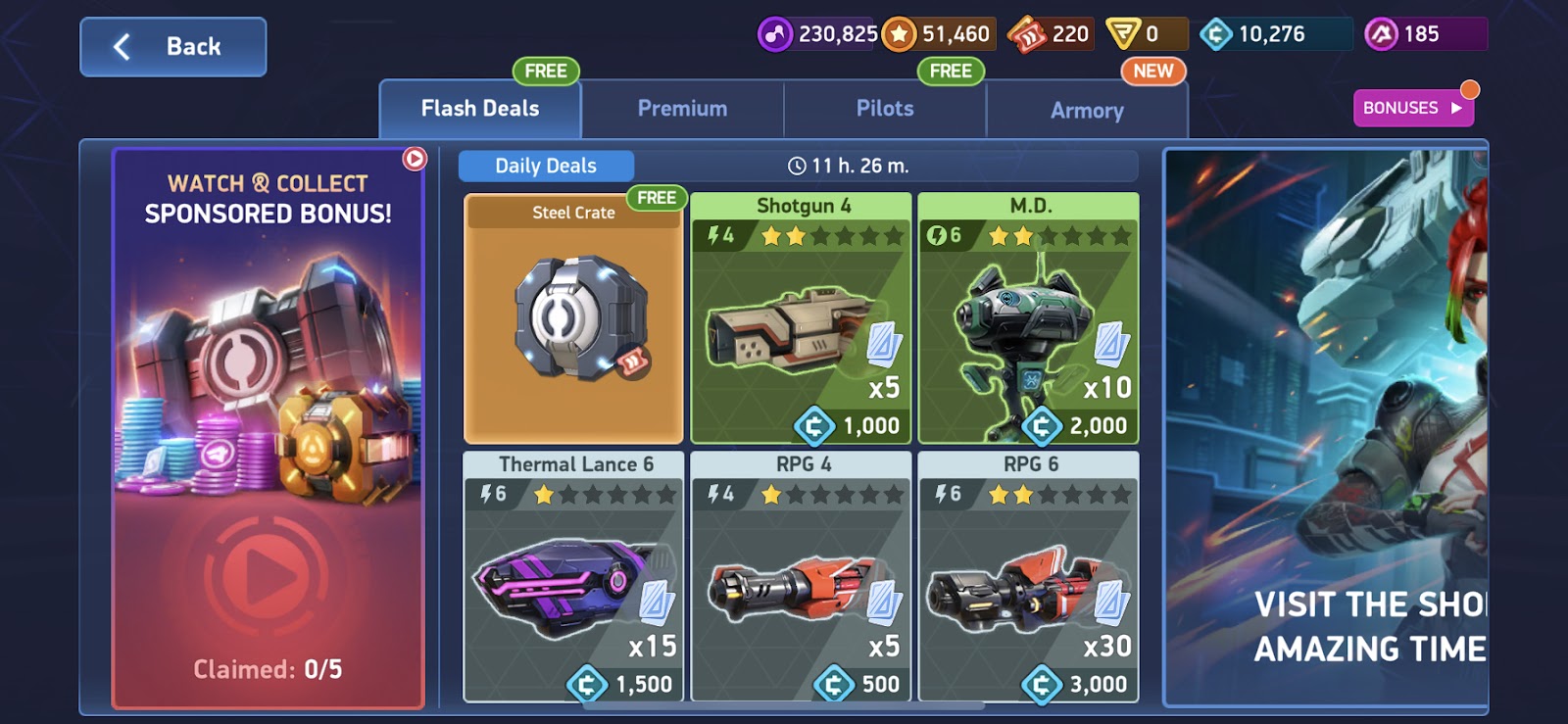
Every day, there are multiple free Crates that you can open via the Shop. There’s the free Implant Crate you can open from the ‘Pilots’ tab and a Steel Crate you can get from the ‘Flash Deals’ tab. Within them, you’ll find useful resources including Credits and Blueprints, so pop back often to make the most of them.
Practice Control Point Clash
Control Point Clash is the first Battle Mode you’ll have access to and it’s an interesting mix of combat and tactics. Victory can be ensured by eliminating all of the enemy Mechs, but it’s more important to guard and capture Control Points. It’s a great way to practice different Weapon combinations and strategies involving your Mechs. For example, you might want to start the match with your fastest Mech, so you can quickly capture the Control Points nearest your spawn point. Even if it gets destroyed, the early lead may be just what your team needs – and you can follow up with your tanky Mechs to defend your territory.
Learn your Mech’s Abilities
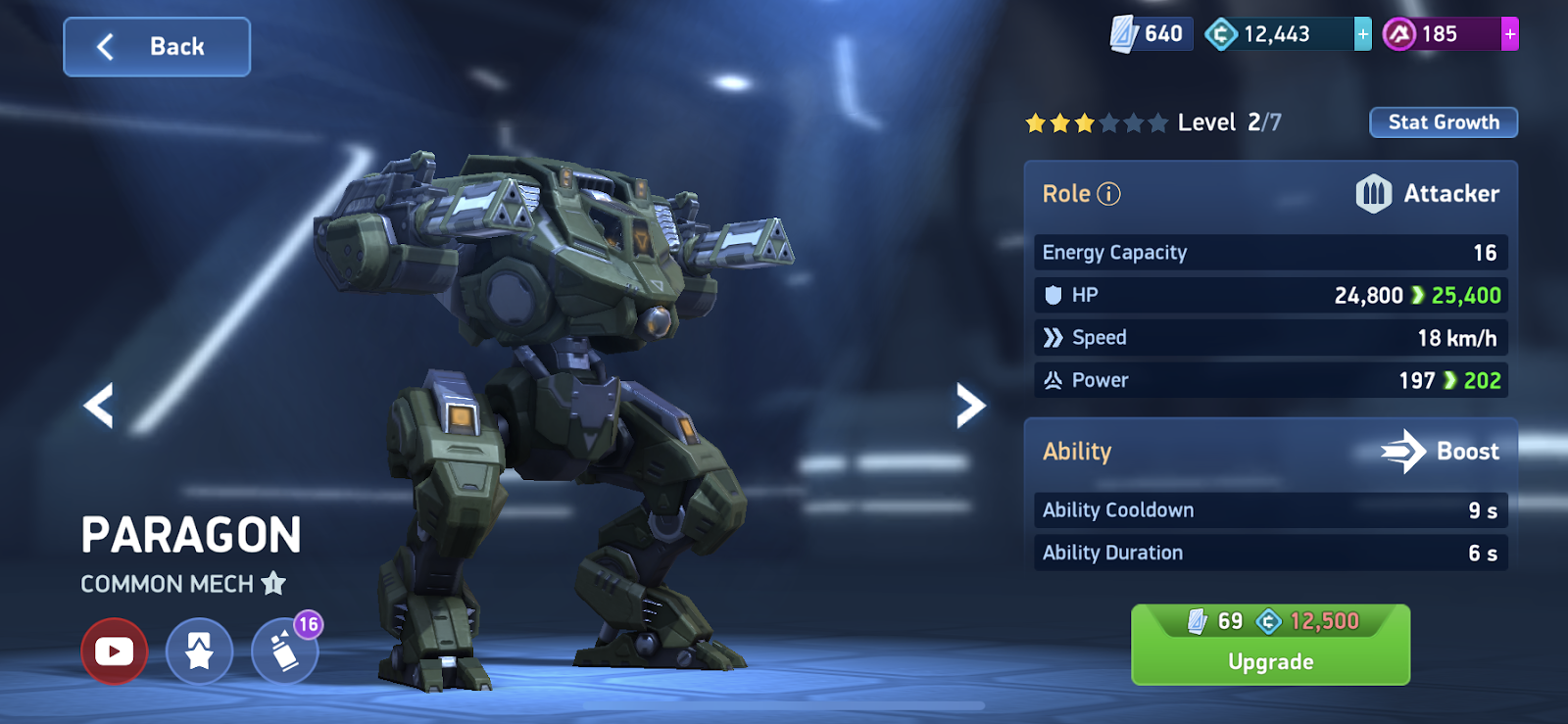
Every Mech has a unique Ability that gives it an advantage in battle. The right Ability, used at the correct moment, could completely turn the tide in the fight. You can check your Mech’s Ability by tapping on it in the Hangar and then tapping on the Ability name to pull up the full description.
Paragon’s Ability for example is “Boost”, which temporarily increases its Speed, allowing you to chase down an enemy, run for cover, or swoop in and steal a Control Point. Every Ability has a Cooldown timer, which you’ll need to wait for before using the Ability again.
Upgrade your Mechs
Mechs have different Ranks, which determine their base stats, such as Speed and Power, and their Energy Capacity – an important factor that determines the size and Power of Weapons they can equip. Within each Rank are 7 Levels. You can increase the Level of your Mech using Blueprints. When a Mech reaches Level 7 within its Rank, you can upgrade it using A-Coins.
Work through the Gear Hub Tiers
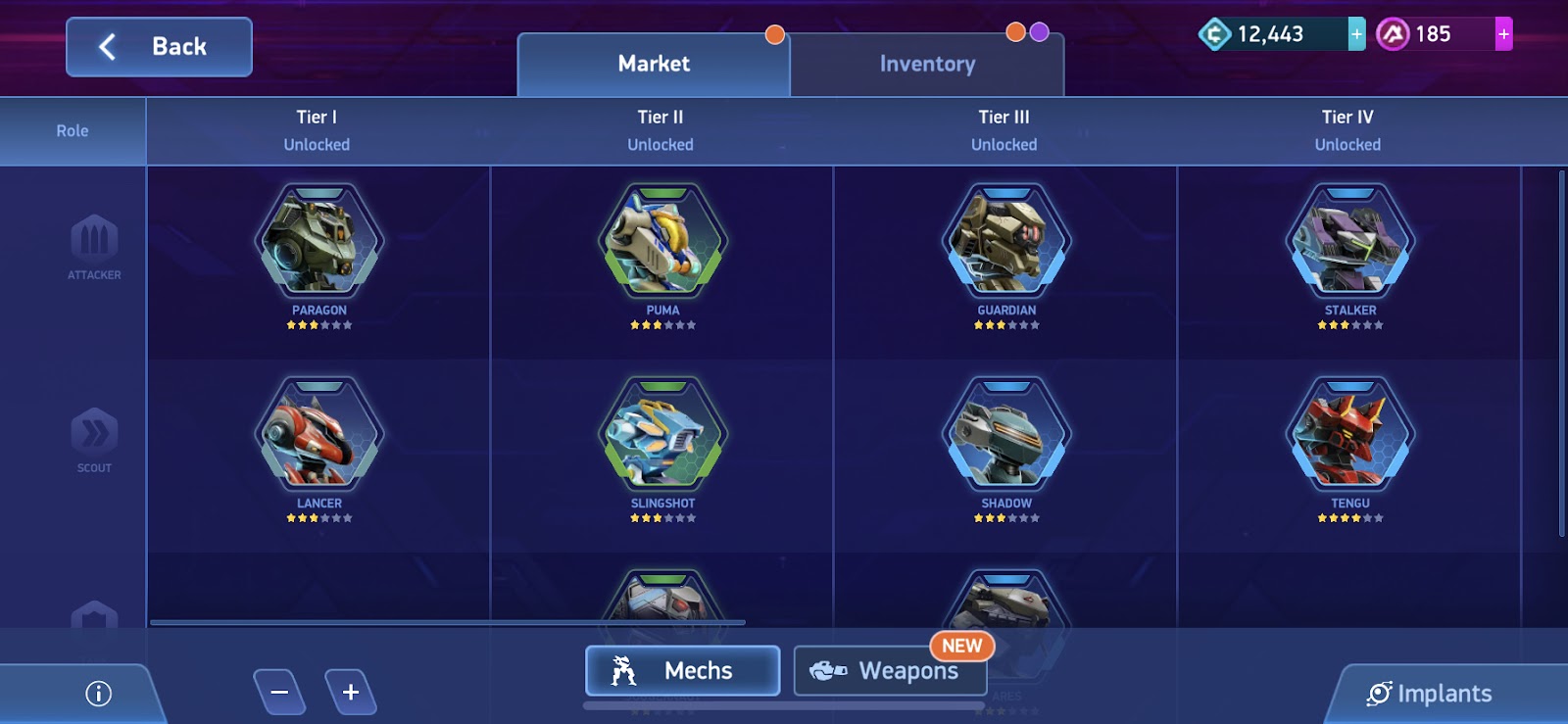
You can get new Mechs and Weapons through the Gear Hub. Each Tier has a certain amount of stars you need to obtain before you can unlock it. You earn stars by buying and upgrading Mechs and Weapons from the Tier you’re currently in. As you move through the Tiers, you’ll be able to choose rarer, and more powerful, Mechs and Weapons.
Log in daily to earn rewards
Every day that you log in, you’ll earn a special reward, including Crates, Blueprints and Credits. Don’t forget to visit the Arena daily to pick this up. These rewards reset each month, so the longer you can continue your streak the better rewards you’ll pick up.
Take part in Events
Events can give you extra rewards just for playing and each one will have different Objectives. Although there are lots of different types of Events, largely the Objectives will involve using a certain Mech, Weapon or Pilot, and reaching certain Battle milestones (e.g. killing X number of Mechs).
Make use of Pilots
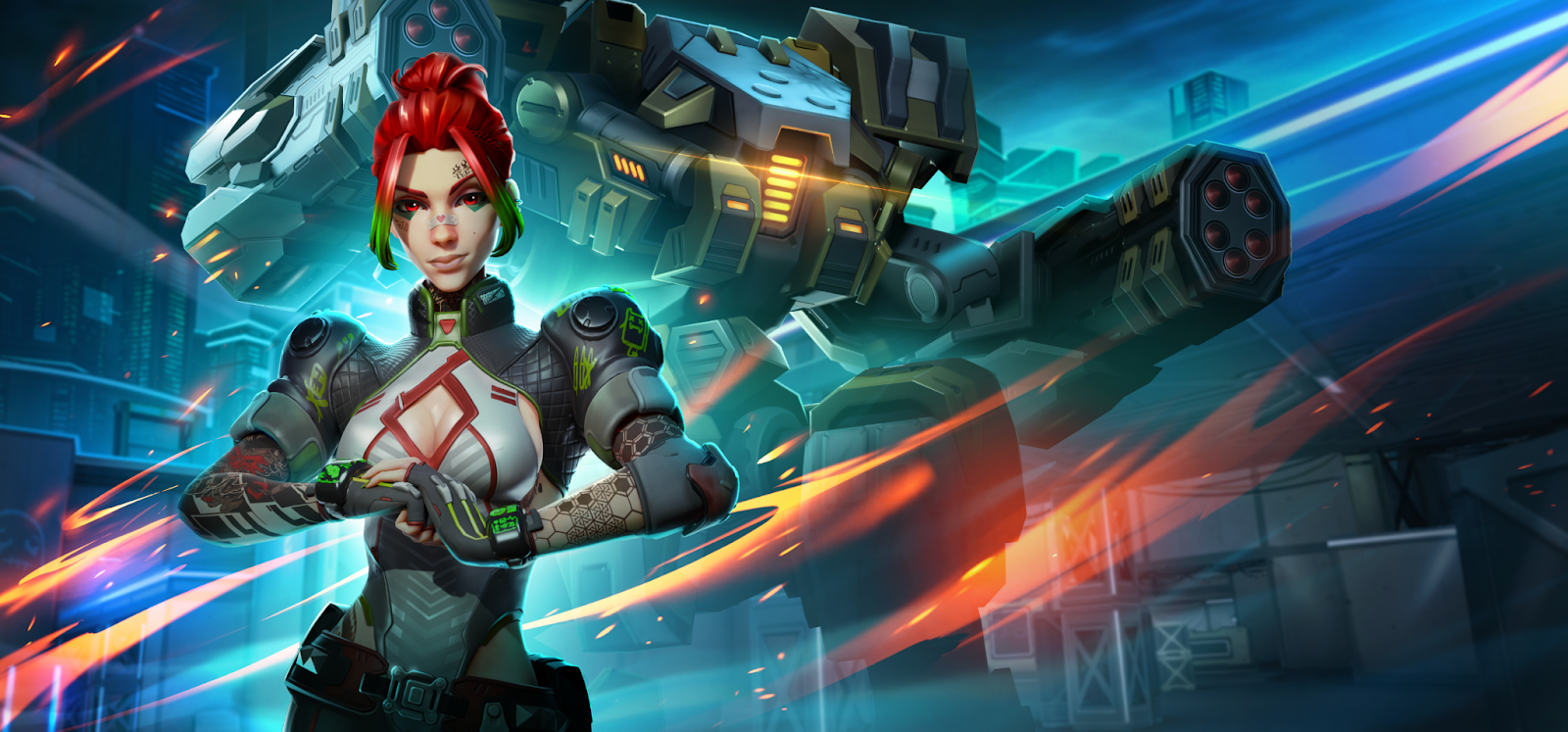
You’ll meet your first Pilot, Red, during the tutorial. Pilots give your Mechs a HP and Damage boost, as well as an additional Damage boost to certain types of Weapons. Each Pilot has a speciality, for example Red increases the Damage dealt by Assault Weapons. Pilots also come with their own unique backstories and relationships with one another. Keep an eye out on social media for deeper dives into these.
Use Pilot Implants
Implants can be installed on Pilots to increase a Mech, or Weapon feature. For example, there’s an Implant that can increase Lancer’s jump distance and others that increase the Damage of Autocannons. Implants come in different rarities, which impact how much of a boost they give. The rarity of the Pilot, dictates how many Implants can be installed. Legendary Pilots have four Implant Slots, Epic Pilots have three and Rare Pilots have two.
Take advantage of Map features
Each map is uniquely designed to suit different Weapons and playstyles. Some Maps, like Elon Station Grey have long sightlines, great for Mechs equipped with Sniper Weapons like Longarms. Others, like Artifact X, have sections with low ceilings, so it can be more challenging to use Weapons with set, arcing flight paths, such as Javelin Racks. Learn the best ambush spots, vantage points and places to retreat to by playing battles.
Try out other platforms
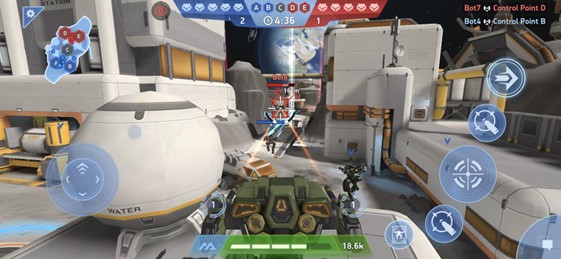
While playing Mech Arena on mobile is the OG experience, there are more ways to battle on PC with Plarium Play. You can choose between a touchpad, a controller or the iconic keyboard and mouse combo. There are also more graphics options available and some exclusive Plarium Play-only Events. Plarium Play supports a cross platform experience, so you can jump back into the mobile version and watch some ads to get rewards, before swapping back to your PC. Interested? Tap your Avatar while in the Hangar and navigate to “Connections”. You’ll then see an option to create or connect a Plarium ID.
DON’T
Don’t underestimate flanking and rear Damage
The Damage you deal isn’t just down to the Weapon and Mech you’re using. Where you deal Damage can massively impact the total you inflict. Flanking Damage (hitting a Mech on its side) deals 1.5x Damage. Hitting a Mech from the rear deals 2x Damage. Mechs that are nimble, (e.g. Lancer or Slingshot) can outmaneuver their tankier opponents with this method. And if your enemy turns and runs away, try and pop off a few shots as they retreat.
Don’t be afraid to experiment
With so many Weapons in the game, there are a ton of different Mech builds you can try out. Experiment with a range to see which best fits your playstyle. Perhaps you’d rather dominate from afar with Javelin Racks or Rocket Mortars. Or perhaps the frontline frenzy of shotguns is more your vibe. Keep things fresh and change it up until you’ve found something that works for you.
Don’t just use the default settings
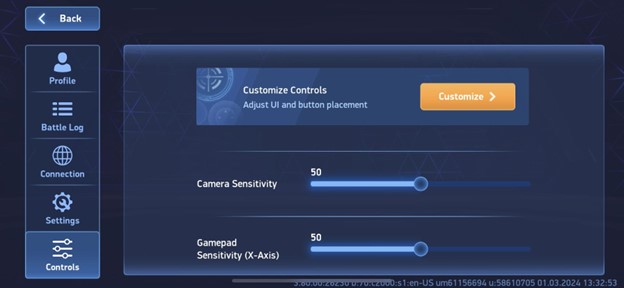
If you tap your Avatar while in the Hangar, and navigate to “Controls”, you’ll see a variety of settings that you can customize to your liking. You can change the Damage display, the Targeting Assist System, the Weapon Reload System and other sensitivity settings. Fine tune these to make it intuitive for you. If you do play on PC via Plarium Play, there are even more options for you to choose from.
Don’t ignore the mini map
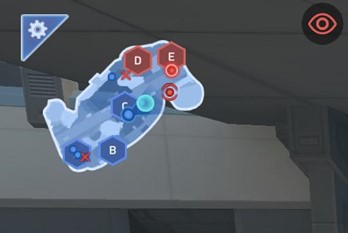
We get it, you’re in the thick of the action, with total focus on your remaining ammo and surroundings. But don’t neglect the mini map. It shows the location of enemies that your allies can see, giving you useful context to the wider battle. It also shows you which Control Points have been captured, or are currently under attack. There are a few Mechs that have special Abilities that, when active, mean they won’t appear on this map (Shadow and Eclipse we’re looking at you), so just bear that in mind.
Don’t lose track of time
Another handy thing to keep an eye on is the battle timer. It’ll appear in the top middle of your screen and show you how many minutes are remaining. Control Point Clash Battles are 5:00 minutes total. Deathmatch Battles consist of up to three rounds, each 2:00 minutes long. Battles can end sooner though if all the Mechs from one team are defeated.
Don’t just Battle alone
Mech Arena can be enjoyed as a solo experience, but there are some elements that are easier with others. Invite your friends to fight alongside you in-game and earn some unique rewards, such as the Cryo Javelin, with the Referrals Program. Or you can join a Clan so that extra allies are only a tap away. You’ll find the “Clan” button in the top center of your Hangar. Some Clans require an application to join, but others are open to everyone. You could also start your own! However you play, there’s a community for you. Even if you stick to playing solo, remember to back up your teammates in Quick Matches and rack up the assists. A team player is always welcome!
Don’t be afraid to ask for help
If you reach a point where you’re not sure what you should be upgrading, or which Mechs you should be aiming for, there are a huge amount of resources available to help you. You’ll find Mech and Weapon Spotlight videos on the Mech Arena Official YouTube channel, talking you through strengths and strategies for each one, as well as some useful counters. You can also connect with other players on our dedicated Discord server. Reach out if you need some advice.